Devices
The device overview gives you a quick summary of all devices in your organisation. To access it, click Devices in the main menu.
Device overview
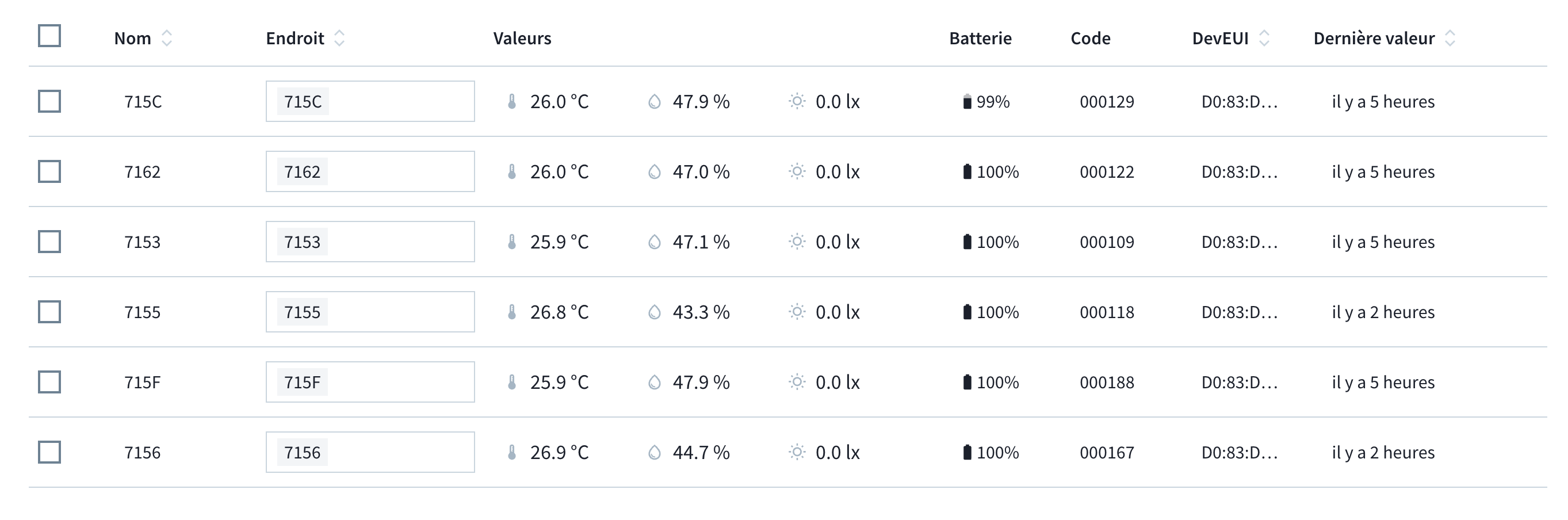
The overview table displays the following information for each device:
| Column | Description |
|---|---|
| Name | The name assigned to the device |
| Location | The location where the device is placed |
| Values | The last readings for temperature, relative humidity, and light |
| Battery | The current battery level of the device |
| Code | The unique identifier for the device |
| Last values | How long ago the last measurement values were received |
Identifying a Device
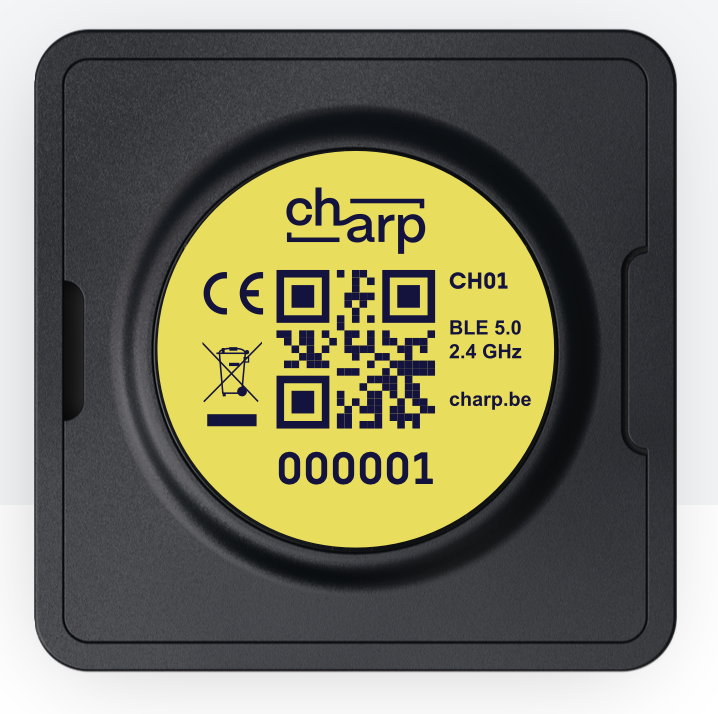
Each device has a unique device code — a 6-digit number that is also physically printed on the back of the device, located under the QR code. This makes it easy to match a physical device to its entry in the software.
tip
If you need to identify which physical device corresponds to an entry in the overview, check the 6-digit code on the back of the device and match it with the device code column in the table.