Installation Guide: CHARP Mini
Getting to know the hardware
LoRaWAN Gateway
The gateway relays measurement data from your CHARP Mini devices to the cloud. It acts as a bridge between the Mini sensors and the CHARP platform.
CHARP Mini
The CHARP Mini is a compact, high-accuracy environmental logger that measures:
- Temperature
- Relative Humidity (RH)
- Light intensity
The Mini features a magnet on the back for easy mounting on ferromagnetic surfaces.
Device placement
Position the CHARP Mini near the objects you want to monitor. The built-in magnet allows you to attach it directly to metal surfaces such as shelving or display cases.
Each Mini must be paired with a nearby gateway to transmit its data.
Communication frequency
Understanding the communication cycle helps set expectations for when data appears in CHARP:
| Communication | Interval | Indicator |
|---|---|---|
| Mini to Gateway | Every 2 hours | Blue LED flash on the Mini |
| Gateway to Cloud | Every 4 hours | Green LED flash on the gateway |
Gateway LED indicators
- Green flash: the gateway is transmitting data
- Solid green (1-2 seconds): data was successfully sent to the cloud
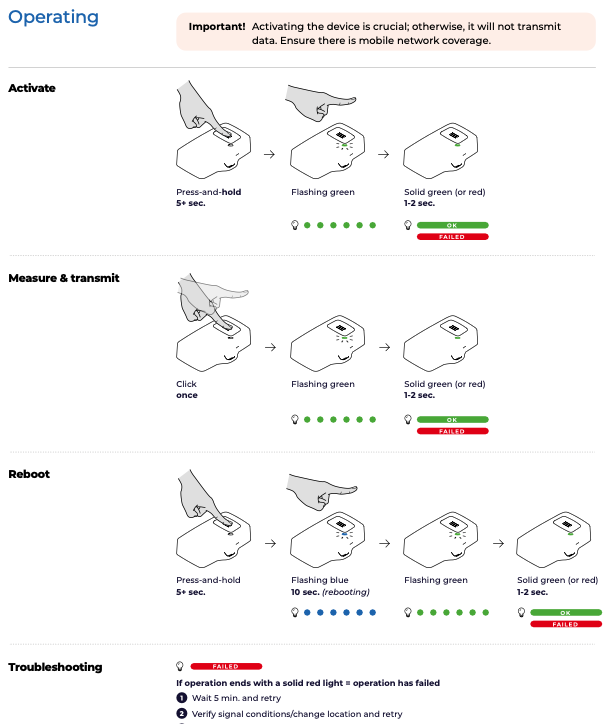
Installing the CHARP Mini
Your CHARP Mini devices are already activated and configured. Once the gateway is connected, data will begin flowing to CHARP within 30 minutes.
No manual pairing or software setup is required. Simply place the Mini near your objects of interest and ensure a gateway is powered and connected nearby.
Re-establishing the connection
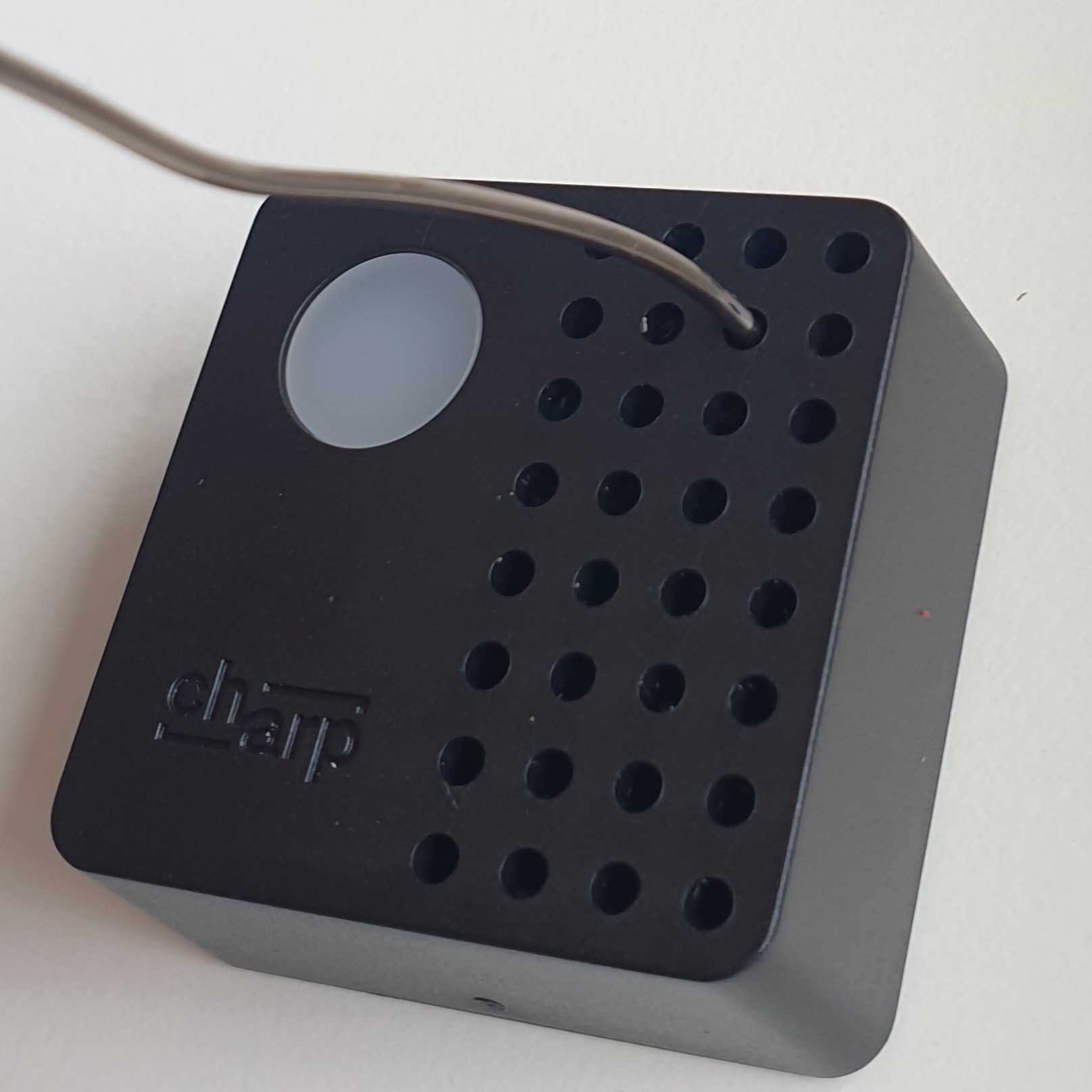
If your CHARP Mini is not communicating, you can re-establish the connection using the hidden button behind the front panel.
Locating the button
The button is accessible through the small holes on the front of the device. To find it:
- Start from the top-right hole
- Move 1 hole down
- Move 1 hole to the left
The status LED is located 1 hole to the left of the button.
Use a thin pin or paperclip to press the button.
Button sequences
| Action | How to Press | Response |
|---|---|---|
| Turn on | Long press for 5 seconds | 1 long blink + 3 short blinks |
| Turn off | Long press for 10 seconds | 1 long blink, 1 short blink, 1 long blink |
Re-establishing communication
To re-establish a lost connection:
- Turn off the device (press and hold for 10 seconds, wait for the 1 long, 1 short, 1 long blink pattern)
- Turn on the device (press and hold for 5 seconds, wait for the 1 long + 3 short blinks pattern)
The Mini will reconnect to the gateway and resume its regular communication cycle.